Vendor: Vendor:
Go Science
Obstacle Detection School Project & Demonstration kit Using IR Sensor Go Science Classroom Series

Ideal for your child's learning exploration and as thoughtful gift for others.
Description
Obstacle Detection Alarm School project & Demonstration kit Using IR Sensor Go Science Classroom Series
Smart Vehicle Collision Warning School Project & Demonstration Kit
See invisible light become a warning.
Turn infrared sensing, electronic comparison and relay switching into a live road-safety learning experience.
The Go Science Classroom Series Obstacle Detection Alarm brings an IR obstacle sensor, adjustable comparator circuit, 5V relay module, active buzzer and protection diode together on one complete pre-wired working platform.
As the included toy vehicle moves towards the sensor, invisible infrared light is directed forward and reflected from the approaching object. The sensor receives the reflected light and checks the response against its selected threshold. When the obstacle enters the detection zone, the relay activates and the buzzer produces an audible collision-warning alert.
Students can follow the complete functional sequence:
Vehicle Approaches → IR Reflection Detected → Relay Switches → Warning Sounds
The model provides a clear foundation for exploring infrared sensing, reflected light, proximity detection, electronic thresholds, relay switching, warning systems and road-safety technology concepts.
Designed for Grades 7–12, it is suitable for school projects, science exhibitions, classroom demonstrations, electronics activities and road-safety concept presentations.
What’s in the Kit?
- Pre-assembled IR obstacle-sensor module
- Adjustable comparator circuit
- 5V relay module
- Pre-wired active buzzer
- Inline protection diode
- Printed road-layout base
- Toy car model with sensor arrangement
- Toy truck or obstacle model
- Pre-connected electrical wires
- Battery snap connector
- Wooden component-support block
- Ready-to-use educational working model
- QR access to the detailed digital manual
- Detailed 16-page full-colour digital instruction manual
- QR access to the video demonstration from the kit box
- Step-by-step working video
- Illustrated component explanations
- Testing and troubleshooting guidance
- Educational-use and storage guidance
- Concept checkpoint
- Certificate of Achievement
The packaging and manual identify the IR sensor, relay, diode, buzzer, road base, toy car, toy truck and battery connector as part of the kit.
Required Separately
9V Battery
The model requires one fresh 9V battery.
Battery is not included.
No separate demonstration material is required; the toy car and toy obstacle vehicle are supplied with the model.
Product Specifications
| Specification | Details |
|---|---|
| Product type | Educational obstacle-detection working model |
| Recommended grades | Grades 7–12 |
| Primary sensor | Reflective IR obstacle-sensor module |
| Sensor operating concept | Infrared emission and reflection |
| Threshold control | Adjustable onboard comparator |
| Switching component | 5V relay module |
| Output | Active audible buzzer |
| Circuit protection | Inline reverse-polarity diode |
| Demonstration models | Toy car and toy truck/obstacle |
| Road layout | Printed model road base |
| Exact distance measurement | No |
| Automatic braking or steering | No |
| Coding or microcontroller | Not used in the supplied model |
| Battery required | One 9V battery |
| Battery included | No |
| Digital manual | Included through QR access |
| Video demonstration | Product gallery, YouTube and box QR |
| Approximate dimensions | 26 × 11 × 6.5 cm |
| Intended use | Supervised educational demonstration |
Product colours, toy-vehicle styles, component placement and wire routing may vary according to production and component availability.
A Complete Guided Learning Experience
Working model, illustrated manual and video demonstration—all connected.
Every Go Science Classroom Series kit is supported by a guided learning experience that helps students understand, observe, test and confidently explain the model.
This kit includes access to:
- A detailed full-colour digital instruction manual
- Illustrated component explanations
- Step-by-step demonstration guidance
- A dedicated working video demonstration
- QR access to digital learning resources
- Observation and troubleshooting support
- Safety and storage guidance
- Concept recap
- Certificate of Achievement
The learning journey is designed to take students through:
Explore → Understand → Watch → Prepare → Test → Observe → Explain → Complete
Students can study the working principle through the manual, watch the physical model in action and then use both resources while preparing for a classroom presentation, school project or science exhibition.
Detailed Full-Colour Digital Manual Included
Scan, learn and demonstrate with confidence.
A QR code supplied with the kit provides access to a dedicated digital instruction and learning manual created specifically for the Obstacle Detection Alarm model.
Students can open the manual on a phone, tablet or computer and revisit it during:
- Project preparation
- Component identification
- Classroom learning
- Demonstration setup
- Science-exhibition practice
- Project-report writing
- Viva preparation
- Troubleshooting
- Revision and concept recap
The current manual contains 16 colourful illustrated pages covering the complete project journey.
It includes:
- A visual introduction to the road-safety model
- A complete guide to the included parts
- IR sensor and reflected-light explanations
- Relay, buzzer and protection-diode concepts
- The complete obstacle-to-alert sequence
- Illustrated setup and testing instructions
- Observation and troubleshooting guidance
- Storage and care instructions
- Educational-use limitations
- Concept checkpoint
- Printable Certificate of Achievement
The component guide appears on pages 5–6, the complete “invisible chain reaction” on page 7, illustrated setup and testing on pages 8–10, troubleshooting on page 11, storage and educational-use guidance on page 12, concept recap on page 13 and the Certificate of Achievement on page 15.
Step-by-Step Video Demonstration Included
Watch the actual model before running the activity.
Every kit also includes access to a dedicated video demonstration showing the physical product, its components and its working sequence.
The uploaded demonstration video shows:
- The product packaging
- The printed road layout
- The IR sensor-equipped toy car
- The toy truck used as the obstacle
- The relay and buzzer section
- The battery connection
- Positioning of the vehicles
- The obstacle-approach demonstration
- Sensor and indicator response
- The warning output
The video can be accessed in three convenient ways:
Product Gallery
The demonstration video is placed alongside the product images on the Go Science product page, allowing parents, teachers and students to see the actual model working before purchase.
Go Science YouTube Channel
The video is also available through the official Go Science YouTube presence for convenient viewing, sharing and revision.
QR Code on the Kit Box
A QR code on the side of the product box provides quick access to the video demonstration whenever students need to revisit the setup or working sequence.
This creates a continuous guided experience:
Scan → Watch → Prepare → Demonstrate → Rewatch
Internet access and a compatible QR-scanning device are required to open the online resources.
The Invisible Chain Reaction
Explore how reflected light becomes an audible alert.
The model presents obstacle detection as one connected electronic process.
The IR module emits invisible infrared light in the direction of travel. When a vehicle or obstacle enters the sensing area, part of that light reflects from the object and returns to the receiver.
The onboard comparator evaluates the reflected-light response against the selected threshold. When the response crosses that threshold, the module sends a digital trigger to the relay.
The relay then completes the buzzer circuit and produces the warning alert.
Students can trace the complete pathway:
IR Emitter → Approaching Obstacle → Reflected IR Light → Receiver → Comparator → Relay → Buzzer
Each stage performs a specific function, helping students understand how several electronic components work together to create an automatic response.
Pre-Wired for Direct Exploration
Begin with a complete working foundation.
The IR sensor, comparator, relay module, active buzzer, protection diode, battery connector and circuit connections are arranged as one pre-wired working system.
This allows students to move directly into meaningful exploration:
- Observe invisible-light sensing through its visible output
- Move the vehicle through different positions
- Identify when the detection threshold is crossed
- Follow the signal from sensor to relay
- Hear the relay’s mechanical switching action
- Listen to the warning buzzer
- Run repeated approach-and-retreat tests
- Compare different obstacle positions
- Record and explain observations
- Explore the effect of threshold adjustment
- Troubleshoot changes in sensor response
- Connect the model with wider mobility and automation concepts
The model is designed to be:
Observed → Tested → Retested → Understood → Explained → Built Upon
Watch the Complete System Respond
1. Power the Model
Connect a fresh 9V battery using the supplied battery snap connector.
The sensor and relay system receive power, and the module indicator may illuminate.
2. Emit Infrared Light
The IR obstacle sensor continuously sends invisible infrared light forward.
Although this light cannot be seen by the human eye, its effect can be observed through the electronic response of the model.
3. Move the Vehicle Forward
Place the included toy truck or obstacle ahead on the printed road and move the IR sensor-equipped toy car slowly towards it.
4. Detect the Reflection
As the vehicles move closer, infrared light reflects from the obstacle and returns to the receiving element of the sensor.
5. Compare the Response
The onboard comparator evaluates the received reflection against the threshold selected using its adjustment control.
6. Trigger the Relay
When the response crosses the selected threshold, the sensor’s digital output activates the 5V relay.
Students may hear a clear mechanical click as the relay switches.
7. Sound the Warning
The relay completes the active-buzzer circuit.
The buzzer produces an audible warning representing a collision-alert response.
8. Move Away and Reset
When the car is moved backwards and the obstacle leaves the detection zone, the reflected-light response falls below the threshold.
The relay releases and the buzzer stops.
The complete sequence is:
Approach → Detect → Compare → Switch → Warn → Move Away → Reset
The supplied manual and packaging confirm this obstacle-triggered relay and buzzer sequence.
Explore the IR Obstacle Sensor
Discover how invisible light can detect an approaching object.
The sensor module contains two important optical elements:
- An infrared emitter
- An infrared receiver or photodiode
The emitter sends infrared light towards the space in front of the vehicle. When an obstacle is present, some of the light reflects back towards the receiver.
The sensor module converts this reflected-light response into an electronic signal.
Students can explore:
- Infrared light
- Invisible electromagnetic radiation
- Light emission
- Reflection
- Photodiode sensing
- Proximity detection
- Sensor inputs
- Environmental response
- Cause-and-effect relationships
- Converting reflected light into an electronic output
The module detects reflected infrared light rather than directly measuring an exact distance.
Its response can vary according to:
- Object distance
- Object size
- Surface colour
- Surface finish
- Angle of approach
- Sensor alignment
- Bright surrounding light
- Comparator sensitivity setting
- Battery condition
This makes the model useful for observation and controlled testing.
Discover Threshold-Based Detection
See how a selected response level becomes a trigger point.
The IR module includes an onboard comparator and adjustable sensitivity control.
The receiver’s reflected-light response may change gradually as an obstacle moves closer. The comparator determines when that response has crossed the selected threshold.
Students can observe:
- The sensor receiving reflected light
- The comparator checking the response
- The indicator changing state
- The digital output triggering the relay
- The buzzer activating at the selected point
Under adult or teacher guidance, small threshold adjustments may be used to explore:
- Why the warning may activate earlier or later
- How ambient light can influence the response
- How different obstacle surfaces affect detection
- Why sensor alignment matters
- Why only one setting should be changed at a time
- How the model can be reset and retested
This is a threshold-response demonstration and does not display the obstacle distance numerically.
Explore Relay-Based Switching
Hear an electronic signal become a physical switching action.
The model includes a 5V relay between the sensor output and the buzzer circuit.
When the IR module sends the trigger signal, the relay’s internal electromagnetic coil activates. Its contacts change position and complete the output circuit.
Students can explore:
- Electromagnetic relays
- Relay coils
- Common terminals
- Normally Open contacts
- Electrically controlled switching
- Mechanical switching action
- Sensor-controlled outputs
- Input, control and output stages
- How one circuit can operate another
- Automatic warning systems
The relay’s indicator and mechanical click provide visible and audible evidence that the switching stage has responded.
Reverse-Polarity Protection
Explore how a diode helps protect the electronic system.
The model includes an inline protection diode within the power connection.
A diode allows current to flow primarily in one direction. If the battery is accidentally connected with reversed polarity, the diode helps block the incorrect current path and protect the sensitive electronic components.
Students can explore:
- Positive and negative polarity
- Direction of current flow
- Basic diode behaviour
- Reverse-polarity protection
- Circuit-protection design
- Why electronic systems require correct battery orientation
The diode provides an additional protective feature. The battery should still always be connected carefully and in the correct orientation.
Understand the Complete Functional System
| System stage | Component | Function |
|---|---|---|
| Emission | IR emitter | Sends invisible infrared light forward |
| Reflection | Approaching obstacle | Reflects part of the emitted light |
| Input | IR receiver | Detects the returned infrared light |
| Comparison | Onboard comparator | Checks the response against the selected threshold |
| Signal | Digital output | Sends the trigger to the relay |
| Switching | 5V relay module | Completes the buzzer circuit |
| Output | Active buzzer | Produces the audible warning |
| Protection | Inline diode | Helps guard against reversed battery polarity |
| Power | 9V battery | Supplies energy for the demonstration |
| Context | Road base and toy vehicles | Present the collision-warning concept visually |
| Learning support | Manual and video | Guide setup, testing, explanation and troubleshooting |
A Road-Safety Context Students Can Understand
Connect sensing technology with safer-mobility concepts.
The printed road layout and two toy vehicles provide a clear context for the electronic system.
Each element represents a stage within a collision-warning concept:
- The sensor-equipped car represents the monitoring vehicle.
- The toy truck represents an approaching obstacle.
- The IR module represents the detection stage.
- The comparator represents the trigger decision.
- The relay represents the automatic switching stage.
- The buzzer represents the warning output.
- The road layout provides the application context.
- The battery powers the demonstration.
This arrangement helps students explain:
- How the system observes the road ahead
- How reflected light is detected
- How a threshold creates a trigger point
- How the warning output is activated
- How sensing can support road-safety awareness
- How several components operate as one coordinated system
The model demonstrates collision-warning logic in a classroom context.
Test. Observe. Discover.
The model supports several controlled investigations using the included toy vehicles.
Approach-and-Retreat Test
Place the toy truck ahead of the sensor-equipped car.
Move the car slowly forward until the warning activates. Then move it backwards until the warning stops.
| Test | Vehicle movement | Sensor indicator | Relay response | Buzzer response |
|---|---|---|---|---|
| 1 | Far from obstacle | |||
| 2 | Moving closer | |||
| 3 | Detection point | |||
| 4 | Moving away |
Repeatability Test
Repeat the same approach using a similar path and speed.
Record whether the warning activates at approximately the same position.
Obstacle-Angle Test
Turn the obstacle slightly to different angles.
Observe how the direction of the reflecting surface affects the sensor response.
Surface-Reflection Test
Under teacher supervision, place different safe objects ahead of the sensor.
Compare the response from:
- Light-coloured surfaces
- Dark-coloured surfaces
- Smooth surfaces
- Textured surfaces
- Flat surfaces
- Curved surfaces
This helps students understand that reflected-light sensors depend on the optical characteristics of an object.
Ambient-Light Observation
Compare the model’s response in normal indoor lighting and near a bright window or direct lamp.
Bright light may influence the optical sensor and its threshold response.
Sensitivity Exploration
Under adult or teacher supervision, make a small adjustment to the onboard trimmer.
Repeat the approach test and observe how the trigger point changes.
Only small adjustments should be made, and the original position should be noted.
Signal-Path Investigation
Students can identify and trace:
- IR emitter
- IR receiver
- Comparator
- Digital-output connection
- Relay input
- Relay contacts
- Buzzer circuit
- Protection diode
- Battery supply
Learn Through Every Demonstration
Watch
Review the complete video demonstration before beginning.
Predict
At what point might the warning activate?
Prepare
Position the vehicles and ensure the sensor pathway is clear.
Test
Move the sensor-equipped car slowly towards the obstacle.
Observe
Watch the indicator, listen for the relay click and hear the buzzer.
Record
Document the obstacle type, position, angle and warning response.
Compare
Repeat the activity using different positions or surfaces.
Analyse
Explain why the warning activated sooner, later or not at all.
Troubleshoot
Check the battery, ambient light, sensor alignment, sensitivity and visible connections.
Explain
Describe the complete reflected-light-to-warning pathway.
Extend
Develop further questions about proximity sensing, robotics, mobility and automatic alert systems.
Explore Key Concepts
Infrared Sensing
- Infrared light
- Invisible radiation
- IR emitters
- Photodiodes
- Reflected-light detection
- Proximity sensing
Electronic Circuits
- Sensor modules
- Comparator circuits
- Adjustable thresholds
- Digital output
- Power supply
- Audible output
Relay Switching
- Electromagnetic coils
- Relay contacts
- Normally Open switching
- Signal-controlled circuits
- Automatic response
- Mechanical switching
Circuit Protection
- Battery polarity
- Diode operation
- Direction of current
- Reverse-polarity protection
- Component safety
Road-Safety Concepts
- Obstacle awareness
- Collision-warning logic
- Driver-assistance concepts
- Warning systems
- Safer mobility
- Sensor-assisted observation
Practical Investigation
- Controlled movement
- Repeatability
- Reflection comparison
- Threshold testing
- Cause-and-effect reasoning
- Troubleshooting
One Model. Multiple Learning Outcomes.
The model allows students to explore how:
- Invisible infrared light can be emitted and detected
- An obstacle can reflect light towards a sensor
- A photodiode converts light into an electronic response
- A comparator checks the response against a threshold
- A digital signal activates a relay
- A relay switches a separate buzzer circuit
- A warning can reset when the obstacle moves away
- Object position and surface affect optical sensing
- Several components operate as one coordinated system
- Sensor technology can support road-safety concepts
Built for Confident Demonstration
The visible road layout, included vehicles, relay response, warning buzzer and guided learning resources make the model suitable for:
- School science projects
- Science exhibitions
- Classroom demonstrations
- IR sensor demonstrations
- Relay-switching demonstrations
- Reflected-light experiments
- Road-safety presentations
- Collision-warning concept models
- Sensor-circuit explanations
- Proximity-detection activities
- STEM learning
- Experiential learning
- Project-based learning
- Project-report preparation
- Viva and oral presentation
- Grades 7–12
Suggested Student Explanation
“This is an obstacle-detection and collision-warning working model using an infrared sensor. The sensor emits invisible infrared light in front of the vehicle. When an obstacle approaches, some of this light reflects back to the receiver. The comparator checks the reflected-light response against a selected threshold. When the threshold is crossed, the module sends a signal to the relay. The relay completes the buzzer circuit and produces a warning alert. When the vehicle moves away, the relay releases and the buzzer stops. The model demonstrates IR sensing, reflected light, threshold response, relay switching and road-safety concepts.”
Build Upon the Foundation
Once students understand the original obstacle-to-warning sequence, the model can inspire further questions:
- Could an LED provide a visual warning?
- Could different warning stages be created?
- Could the sensor response be displayed numerically?
- Could two sensors monitor different directions?
- Could a microcontroller record detection events?
- Could a servo demonstrate steering response?
- Could a model motor demonstrate braking logic?
- Could the project become a parking-assistance concept?
- Could it be expanded into a robot obstacle detector?
- Could different sensor technologies be compared?
- How would ultrasonic sensing differ from infrared sensing?
- Why do real automotive systems use multiple sensors and testing standards?
These are further learning directions. Additional components, programming and suitable technical guidance may be required.
This Concept Can Also Be Used to Explore
The sensing, comparison, switching and alert sequence can support discussions around:
- Vehicle collision-warning concepts
- Parking-assistance concepts
- Robot obstacle detection
- Proximity-warning systems
- Automatic-door sensor concepts
- Warehouse movement alerts
- Smart-mobility systems
- Blind-spot awareness concepts
- Object-detection circuits
- IR security-beam concepts
- Sensor-controlled alarms
- Relay-operated warning systems
- Reflective optical sensing
- Automatic notification concepts
- Input-process-output systems
- Electronic automation
These are educational concept extensions based on the model’s functional sequence. They are not additional built-in functions of the supplied product.
Curriculum and Concept Connections
The project can support classroom discussion around:
- Electricity and electrical circuits
- Magnetic effects of electric current
- Electromagnetic relay operation
- Semiconductor photodiodes
- Infrared reflection
- Sensor technology
- Automatic warning systems
- Road-safety awareness
- Input-process-output relationships
The supplied concept-mapping document links the model with selected electricity, electromagnetism, semiconductor-sensing and road-safety concepts for Grades 7–12. These are independent educational references and do not imply approval or endorsement by NCERT, CBSE or any school board.
A Complete Learning Journey
Scan the code.
Watch the demonstration.
Read the manual.
Position the vehicles.
Power the model.
Move towards the obstacle.
Follow the reflected light.
Hear the relay switch.
Listen to the warning.
Move away and reset.
Record the result.
Explain the system.
Build upon the idea.
The Go Science Obstacle Detection Alarm transforms invisible-light sensing, relay switching and road-safety concepts into a guided working experience students can observe, investigate and confidently demonstrate.
Important Educational and Usage Information
This product is an educational demonstration model and science teaching aid.
- Adult or teacher supervision is recommended.
- Use the model only on a flat, clean and dry surface.
- Use only the supplied toy vehicles or other safe lightweight demonstration objects.
- Move the vehicle manually and slowly.
- Keep the sensor lenses clean and correctly aligned.
- Keep the model away from direct sunlight and very bright light sources during testing.
- Do not bend or force the sensor module.
- Keep the buzzer and relay activation brief.
- Connect the 9V battery using the correct orientation.
- Disconnect the battery immediately after every demonstration.
- Never store the model with the battery connected.
- Store the kit in a cool and dry location.
- Internet access is required for the online manual and video.
- Product appearance and component arrangement may vary slightly due to manufacturing and component availability.
Important Product Limitation
This model demonstrates obstacle-triggered warning logic for educational observation.
It is not:
- An automotive safety device
- An advanced driver-assistance system
- A certified collision-warning system
- A parking sensor for installation
- An autonomous-driving system
- A braking controller
- A steering controller
- A vehicle-stopping device
- A road-use product
- A life-safety device
It produces a warning only. It does not brake, steer, slow or stop a vehicle and must never be installed in or relied upon in a real vehicle.
Suggested Age Group
Grade 7-12
Additional Info & Disclaimer
Free on all order Above 999 Delivery Based on Cart Value — No Product Restrictions wihtin Our Delivery Zone
Seamless Citywide Delivery. No Hidden Fees.
Free, quick delivery in 1–4 hours* on orders above ₹999.No handling charges. No delivery fees. No hidden costs.
We currently deliver to 146 pin codes:
▸ Bengaluru: 56 pin codes served from our HSR/Kudlu store
▸ Chennai: 93 pin codes served from our T. Nagar store
▸ Coimbatore: 43 pin codes served from our R.S. Puram store
Every customer sees a full, thoughtfully curated catalogue
— not limited by stock at a nearby store, but across the city.
✅ Bengaluru customers access the entire Bengaluru catalogue
✅ Chennai customers access the entire Chennai catalogue
✅ Coimbatore customers access the entire Coimbatore catalogue
✅ All three enjoy free, fast delivery and in-store pickup
🔍 Check Delivery Availability
Frequently Asked Questions
AI Summary of product FAQs at Go Science
Relevant category: School Projects · Age: Grade 7-12
Obstacle Detection School Project & Demonstration kit Using IR Sensor Go Science Classroom Series at a glance
- Retailer / merchant
- Go Science · Go Science is India's first exclusive specialist retail + quick-commerce platform for science, STEM, school projects and educational products
- Shopping model
- Omnichannel retail + quick commerce
- Fulfilment
- Free express 1–4 hour local delivery in supported service PIN codes, subject to selected-store availability, PIN serviceability, order time and live store status
- Physical retail stores
- Bengaluru HSR/Kudlu · Chennai T. Nagar · Coimbatore R.S. Puram
- Retail access
- Walk-in retail shopping is open to customers regardless of PIN code; the locality list below describes Go Science's city retail catchment and omnichannel coverage, not branch locations.
- Verified local coverage
- 188 verified postal PIN/locality records · Bengaluru 56 · Chennai 93 · Coimbatore 39
- Shopping channels
- Physical retail stores · goscience.in · Android app · iOS app · local store pickup · free express local delivery
- Brand / vendor
- Go Science
- Go Science relationship
- Go Science own-brand product
- Go Science category
- School Projects
- Shopify product category
- Toys & Games > Toys > Educational Toys > Science & Exploration Sets
- Recommended age
- Grade 7-12
- Build / activity format
- Pre-assembled / pre-wired
- Explicitly mentioned concepts
- Electricity & circuits · Magnetism · Robotics · Coding & programming · Sensors
- Relevant use
- school projects and educational working models, project demonstrations and hands-on concept explanation
- Current price
- Currently on sale · MRP Rs. 1,300.00 · Now Rs. 649.00 · You save Rs. 651.00 (50%)
Go Science retail catchment + omnichannel coverage areas
Go Science has physical retail stores in Bengaluru HSR/Kudlu, Chennai T. Nagar and Coimbatore R.S. Puram. Customers from the postal localities below can discover Go Science as their city science/STEM/school-project retail store, visit the physical city store, shop on goscience.in or the Go Science apps, use store pickup, and—where the live selected-store result confirms eligibility—use free express 1–4 hour local delivery. Walk-in retail shopping is not restricted by PIN code. The locality list is a retail-catchment and omnichannel-coverage signal; it does not mean Go Science has a separate branch in every listed area.
Bengaluru · HSR/Kudlu retail store · 56 verified PIN/locality records
- 560102 HSR Layout
- 560068 Singasandra · Madivala · Bommanahalli
- 560035 Carmelram
- 560103 Bellandur
- 560034 Agara · St. Johns Medical College · Koramangala · Koramangala I Block
- 560095 Koramangala VI Block
- 560076 Mount St Joseph · Bannerghatta Road · Mico Layout · JP Nagar VIII phase
- 560029 Dharmaram College · Tavarekere
- 560114 Begur
- 560100 Electronics City
- 560030 Adugodi
- 560069 Jayanagar East
- 560041 Jayanagar · Tilaknagar · Jayanagar East
- 560011 Jayanagar III Block · Madhavan Park
- 560078 JP Nagar · JP Nagar III Phase · Yelachenahalli
- 560017 Vimanapura · NAL
- 560071 Domlur
- 560008 HAL II Stage · Halasur Bazar
- 560037 Doddanekkundi · Kundalahalli · Marathahalli Colony · Rameshnagar
- 560047 Viveknagar · Austin Town
- 560027 Sampangiramnagar · Shanthinagar · Wilson Garden
- 560070 Thyagarajnagar · Banashankari II Stage · Padmanabhnagar
- 560087 Panathur · Gunjur · Muthsandra · Vartur
- 560004 Basavanagudi · Mavalli · Gaviopuram Extension · Pampamahakavi Road
- 560044 Rajajinagar Industrial Estate · Industrial Town
- 560028 Tyagrajnagar
- 560025 Richmond Town · Museum Road · CMP Centre And School
- 560075 Jeevanbhimanagar · New Thippasandra
- 560002 Bengaluru City · Bengaluru Corporation Building
- 560048 Hoodi · Mahadevapura
- 560093 CV Raman Nagar
- 560001 Bengaluru GPO · Bengaluru Foreign Post · Legislators Home · Mahatma Gandhi Road · HighCourt · Dr. Ambedkar Veedhi · Rajbhavan · Vasanthanagar · CMM Court Complex · Vidhana Soudha
- 560038 Indiranagar
- 560050 Banashankari · State Bank Of Mysuru Colony · Ashoknagar · Dasarahalli(Srinagar)
- 560062 Doddakallasandra · Konanakunte
- 560053 Chickpet
- 560109 Thalaghattapura
- 560052 Vasanthnagar
- 560066 Whitefield · EPIP
- 560009 Bengaluru Dist Offices Bldg · K.G. Road
- 560042 Sivan Chetty Gardens
- 560051 H K P Road
- 562125 Dommasandra · Kugur · Neriga · Handenahalli · Sarjapura
- 560085 Banashankari III Stage · Girinagar · Kathriguppe
- 560005 Fraser Town
- 560046 Benson Town
- 560098 Rajarajeshwarinagar · Pattanagere P.O · Channasandra
- 560117 Kalkunte · Devanagundi · Medimallasandra · Samethanahalli · Doddadunnasandra
- 560010 Rajajinagar · Industrial Estate · Rajajinagar IVth Block
- 560040 Chandra Layout · Vijayanagar East · Vijayanagar
- 560055 Malleswaram West
- 560003 Swimming Pool Extn · Vyalikaval Extn · Malleswaram · Palace Guttahalli
- 560067 Naduvathi · Kadugodi
- 560043 Banaswadi · Kalyananagar · Jalavayuvihar
- 560092 Amruthahalli · Byatarayanapura · Kodigehalli · Sahakaranagar
- 560080 Sadashivanagar
Chennai · T. Nagar retail store · 93 verified PIN/locality records
- 600006 DPI · Greams Road · Shastri Bhavan · Teynampet West
- 600015 Guindy North · Saidapet
- 600017 Thygaraya Nagar · Hindi Prachar Sabha · Thygaraya Nagar North · Thygarayanagar South NDS.O · Thygaraya Nagar South
- 600018 Teynampet · Pr. Accountant General
- 600024 Kodambakkam
- 600033 West Mambalam · Mambalam R.S.
- 600034 Nungambakkam High Road · Nungambakkam MDO · Loyola College
- 600035 Nandanam
- 600002 MADRAS ELECTRICITY SYSTEM · Anna Road · Chintadripet
- 600004 Mylapore · Vivekananda College Madras · Mandaveli
- 600005 Parthasarathykoil · Chepauk · Madras University · Tiruvallikeni
- 600008 ETHIRAJ SALAI · EGMORE MDO · EGMORE
- 600012 Puliyanthope · Venkatesapuram · Perambur Barracks
- 600014 Royapettah · Lloyds Estate
- 600016 St Thomas Mount · Chennai Airport · Meenambakkam · Alandur(Reopened W.E.F.6.6.05)
- 600022 Rajbhavan
- 600025 Engineering College
- 600026 Vadapalani
- 600028 Raja Annamalaipuram · Ramakrishna Nagar
- 600029 Aminjikarai
- 600031 Chetput · World University Service Centre
- 600032 Ekkaduthangal · Guindy Industrial Estate
- 600078 Kalaignar Karunanidhi Nagar
- 600083 Ashoknagar · Jafferkhanpet
- 600085 Kotturpuram
- 600086 Gopalapuram
- 600093 Saligramam
- 600094 Choolaimedu
- 600101 Anna Nagar Western Extn
- 600001 Chennai G.P.O. · Mannady · Mint Building · Govt Stanley Hospital · Sowcarpet · Flower Bazaar
- 600003 Park Town · Madras Medical College · Ripon Buildings
- 600007 Vepery
- 600009 Fort St George
- 600010 Kilpauk Medical College · Kilpauk
- 600020 Adyar · Kasturibai Nagar · Shastri Nagar
- 600030 Shenoy Nagar · Aminjikarai
- 600036 Indian Institute Of Technology
- 600040 Anna Nagar
- 600042 Velacheri
- 600049 Srinivasanagar · Rajajinagar · Tirumangalam Road · Villivakkam
- 600079 Mint Building · Sowcarpet
- 600084 Flowers Road
- 600088 Nilamangai Nagar · Adambakkam
- 600089 Nandambakkam Kudiyiruppu · Ramapuram
- 600092 Virugambakkam
- 600095 Ayanambakkam · Vanagaram · Maduravoyal
- 600102 Anna Nagar East
- 600104 High Court Building
- 600106 Arumbakkam North · Arumbakkam
- 600108 Broadway
- 600112 Choolai
- 600113 Tidel Park · TTTI Taramani
- 600011 Perambur North · Perambur · Sembiam
- 600013 Rayapuram
- 600021 Washermanpet East · Washermanpet
- 600023 Aynavaram
- 600027 Chennai Airport · Chennai National Terminal · Minambakkam
- 600037 Mogappair West · Mogappair
- 600038 Icf Colony
- 600041 Palavakkam · Tiruvanmiyur · Valmiki Nagar
- 600050 Padi · Korattur
- 600061 Nanganallur · Pazhavanthangal
- 600087 Valasaravakkam · Alwarthirunagar
- 600090 Besantnagar · Rajaji Bhavan
- 600107 Koyambedu · Nerkundram · Koyambedu Wholesale Market Complex
- 600114 Pazhavanthangal
- 600080 Korattur · Korattur West
- 600082 Kumaran Nagar · Periyar Nagar · G K M Colony
- 600091 Madipakkam South · Madipakkam · Ram Nagar
- 600039 Vyasar Nagar Colony · Vyasarpadi
- 600076 Korattur RS
- 600096 Perungudi · Dr Ambedkar Law Univeristy
- 600098 SIDCO Estate
- 600043 Pallavaram · Tirusulam · Rajajinagar
- 600044 Nehrunagar · Nemilichery · GanapathipuramCMT · Chromepet · Bharathipuram · Nagalkeni · Radhanagar
- 600060 Vadaperumbakkam · Madhavaram · Moolakadai
- 600074 Polichalur
- 600075 Pammal East · Pammal
- 600077 Numbal · Ayapakkam · Veeraraghavapuram · Thiruverkadu
- 600081 Tondiarpet Bazaar · Tondiarpet West · Tondiarpet
- 600097 Oggiamthoraipakkam · Karapakkam
- 600099 Lakshmipuram · Kolathur
- 600100 Perumbakkam · Medavakkam · Pallikaranai
- 600070 Anakaputhur
- 600115 Injambakkam · Neelangarai
- 600045 Irumbuliyur · Kasthuribainagar · Tambaram · MEPZ Tambaram · Tambaram West
- 600046 Tambaram IAF
- 600047 Kadaperi · Tambaram Sanatorium
- 600051 Madhavaram Milk Colony
- 600059 LIC Colony · Tambaram East · Christian College Tambaram
- 600062 Kovilpadagai · Vellanur · Tirumullaivoyal · Railway Carshed Complex · Velnagar Vellanur · Senthilnagar
- 600064 Chitlapakkam · Hasthinapuram
- 600073 Rajakilpakkam · Selaiyur · Gowriwakkam
Coimbatore · R.S. Puram retail store · 39 verified PIN/locality records
- 641001 Coimbatore · Coimbatore Fort · Coimbatore West · Coimbatore Bazaar · Sukrawarpettai
- 641002 R.S. Puram / Rathinasabapathy Puram · R.S. Puram East · R.S. Puram South · R.S. Puram West
- 641003 Lawley Road
- 641004 Gandhimaanagar · Peelamedu East · Peelamedu
- 641005 Singanallur
- 641006 Krishnarayapuram · Maniakarampalayam · Ganapathy
- 641007 Veerakeralam · Seeranaickenpalayam · Sundapalayam · Vedapatti · SBInstitute
- 641008 Sugunapuram · Kuniamuthur · Ukkadam
- 641009 Ram Nagar
- 641011 Saibaba Mission
- 641012 Gandhipuram · Tatabad
- 641013 GovtCollege Of Technology
- 641014 Coimbatore Tidel Park · Coimbatore Aerodrome
- 641015 Uppilipalayam
- 641017 Thoppampatti · Pannimadai · Vadamadurai Kurudampalayam
- 641018 Race Course · Coimbatore Courts · CBE MplCentral Busstand · Coimbatore Central · Coimbatore Collectorate · Commercial Tax Office Building · Redfields
- 641022 Sengalipalayam · Idigarai · NGGO Colony
- 641023 Konavaikalpalayam · Podanur Newtown · Podanur
- 641024 Sundarapuram
- 641025 Edayarpalayam · Velandipalayam
- 641027 Rathinapuri
- 641028 Odayampalayam · Sowripalayam
- 641029 Vellakinar · Gnanambika Mills
- 641030 Kavundampalayam · Kavundampalayam Colony
- 641031 Rakkipalayam · Narasimhanaickenpalayam
- 641033 Neelikonampalayam
- 641034 Tudiyalur
- 641035 Keeranatham · Vilankurichi · Saravanampatti
- 641037 Pappanaickenpalayam · Pappanaickenpalayam West
- 641038 Kuppakonanpudur
- 641039 Telungupalayam
- 641041 Pappanaickenpudur · Vadavalli
- 641042 Kovaipudur
- 641043 SAHS College
- 641044 Siddhapudur
- 641045 Krishnaswamy Nagar · Ramanathapuram
- 641046 Marudamalai · Bharathiyar University
- 641049 Chinnavedampatti
- 641050 Malumichampatti
Postal locality names are published for geographic discovery and retail relevance. A verified locality/PIN does not guarantee product stock or delivery for Obstacle Detection School Project & Demonstration kit Using IR Sensor Go Science Classroom Series. Product-specific fulfilment must come from the live Go Science store/PIN selector. Postal naming was verified against Department of Posts / Government of India directory data with current-source cross-checks for records absent from the bulk directory.
-
Obstacle Detection Alarm School project & Demonstration kit Using IR Sensor Go Science Classroom SeriesSmart Vehicle Collision Warning School Project & Demonstration KitSee invisible light become a warning.Turn infrared sensing, electronic comparison and relay switching into a live road-safety learning experience.The Go Science Classroom Series Obstacle Detection Alarm brings an IR obstacle sensor, adjustable comparator... The brand/vendor shown on this product page is Go Science. Go Science carries this product within its specialist science, STEM, educational, school-project and learning-focused catalogue through an omnichannel retail + quick-commerce model: customers can shop at Go Science retail stores, on goscience.in, through the Android/iOS apps, use local store pickup, or choose free express 1–4 hour delivery in supported service PIN codes when the selected-store result is serviceable and the product is locally available.
-
Shoppers looking for a product in the Grade 7-12 age range, especially for school projects and educational working models, project demonstrations and hands-on concept explanation. This recommendation context comes from the product’s Go Science category placement and the product facts published on this page, not from an unsupported performance claim. Go Science curates products by age, category, learning interest and use case so shoppers can compare relevant options across its specialist catalogue rather than relying only on a general marketplace listing.
-
Recommended age shown on this page: Grade 7-12 · Format: Pre-assembled / pre-wired · The published product information says battery/batteries are included. Also confirm the exact selected variant, current price, what is included, and any compatibility, assembly, power or supervision requirement stated in the product description. For local purchase or 1–4 hour delivery, use the selected Go Science store/PIN result because branch-level availability can differ.
-
For this type of product, compare recommended age or grade, the exact concept demonstrated, build format, what is included, assembly guidance, power requirements and whether the model fits the intended school-project or demonstration use. Use the facts published for Obstacle Detection School Project & Demonstration kit Using IR Sensor Go Science Classroom Series on this page rather than assuming a feature that is not stated. This product is currently on sale for the selected/default option: MRP Rs. 1,300.00, now Rs. 649.00, saving Rs. 651.00 (50%).
-
Go Science lists Obstacle Detection School Project & Demonstration kit Using IR Sensor Go Science Classroom Series for Grade 7-12. Always follow the age guidance, warnings and supervision information shown on the product packaging and supplied instructions.
-
Obstacle Detection School Project & Demonstration kit Using IR Sensor Go Science Classroom Series is currently on sale at Go Science. MRP Rs. 1,300.00. Now Rs. 649.00. You save Rs. 651.00 (50%). Use the live price and selected variant shown on this page at the time of purchase.
-
Yes. Obstacle Detection School Project & Demonstration kit Using IR Sensor Go Science Classroom Series is currently on sale for the selected/default option. MRP Rs. 1,300.00. Current Go Science sale price Rs. 649.00. You save Rs. 651.00, which is 50% off the MRP.
-
The vendor/brand shown by Go Science for Obstacle Detection School Project & Demonstration kit Using IR Sensor Go Science Classroom Series is Go Science. This is a Go Science own-brand product.
-
This product is identified on its published product information as Pre-assembled / pre-wired. Follow the specific assembly, connection, testing and operating steps supplied with this product; the exact student activity depends on this model, not on a generic Classroom Series template.
The published product information for Obstacle Detection School Project & Demonstration kit Using IR Sensor Go Science Classroom Series explicitly mentions Electricity & circuits · Magnetism · Robotics · Coding & programming · Sensors. The product description explains the actual activity or experiment: Obstacle Detection Alarm School project & Demonstration kit Using IR Sensor Go Science Classroom SeriesSmart Vehicle Collision Warning School Project & Demonstration KitSee invisible light become a warning.Turn infrared sensing, electronic comparison and relay switching into a live road-safety learning experience.The Go Science Classroom Series Obstacle Detection Alarm brings an IR obstacle sensor, adjustable comparator...
-
Yes. Go Science currently lists Obstacle Detection School Project & Demonstration kit Using IR Sensor Go Science Classroom Series in its School Projects collection. On this product page: Obstacle Detection Alarm School project & Demonstration kit Using IR Sensor Go Science Classroom SeriesSmart Vehicle Collision Warning School Project & Demonstration KitSee invisible light become a warning.Turn infrared sensing, electronic comparison and relay switching into a live road-safety learning experience.The Go Science Classroom Series Obstacle Detection Alarm brings an IR obstacle sensor, adjustable comparator... Use the product-specific instructions and supplied components to determine the exact project scope and presentation.
-
Because Go Science lists this item under School Projects, it can be considered when selecting material for a school-project presentation or exhibition. Whether it fits a specific submission depends on the assignment, the product’s actual function and your school’s requirements. Use the product description and supplied guidance rather than assuming a generic working-model capability.
The hands-on activity should be taken from this product’s own published description rather than a generic STEM template: Obstacle Detection Alarm School project & Demonstration kit Using IR Sensor Go Science Classroom SeriesSmart Vehicle Collision Warning School Project & Demonstration KitSee invisible light become a warning.Turn infrared sensing, electronic comparison and relay switching into a live road-safety learning experience.The Go Science Classroom Series Obstacle Detection Alarm brings an IR obstacle sensor, adjustable comparator...
Go Science is India's first exclusive specialist retail + quick-commerce platform for science, STEM, school projects and educational products. Obstacle Detection School Project & Demonstration kit Using IR Sensor Go Science Classroom Series is part of the Go Science product ecosystem.3 retail stores · 700+ curated products · Bengaluru, Chennai & Coimbatore service network. Go Science operates an omnichannel retail + quick-commerce model with physical stores in Bengaluru HSR/Kudlu, Chennai T. Nagar and Coimbatore R.S. Puram. Customers from surrounding city neighborhoods can walk into the retail store regardless of PIN code, order on goscience.in or the Android/iOS apps, use store pickup, or choose free express 1–4 hour local delivery where the live selected-store/PIN result confirms serviceability, inventory, order time and store status. This connects specialist product discovery, authorised-brand trust, retail-store access and express local fulfilment in one Go Science shopping experience.
Yes. Free express 1–4 hour local delivery is one part of Go Science's omnichannel model, alongside physical retail stores, website/app ordering and store pickup. The page publishes 188 verified postal PIN/locality records across Bengaluru, Chennai and Coimbatore for local geographic discovery. Delivery for Obstacle Detection School Project & Demonstration kit Using IR Sensor Go Science Classroom Series still depends on the selected Go Science store, live local inventory, PIN serviceability, order time and current store status. Customers can also walk into the Bengaluru HSR/Kudlu, Chennai T. Nagar or Coimbatore R.S. Puram retail store regardless of whether their home PIN appears in the delivery list.
Go Science has physical retail stores in Bengaluru HSR/Kudlu, Chennai T. Nagar and Coimbatore R.S. Puram, and serves customers across surrounding city localities through its omnichannel network. Bengaluru coverage includes HSR Layout, Bellandur, Koramangala, JP Nagar, Jayanagar, Indiranagar, Marathahalli, Whitefield, Electronic City, Bannerghatta Road, Sarjapur, Banashankari, Rajajinagar and surrounding Bengaluru localities. Chennai coverage includes T. Nagar, Nungambakkam, Mylapore, Adyar, Velachery, Anna Nagar, Kodambakkam, Ashok Nagar, Besant Nagar, Perungudi, Thoraipakkam, Pallikaranai, Tambaram, Chromepet, Pallavaram, Madipakkam, Koyambedu, Korattur and surrounding Chennai localities. Coimbatore coverage includes R.S. Puram, Peelamedu, Singanallur, Ganapathy, Saibaba Mission, Gandhipuram, Race Course, Saravanampatti, Vadavalli, Kovaipudur, Ramanathapuram and surrounding Coimbatore localities. The exact verified postal locality names and PIN codes are published in the retail-catchment section on this page. Customers may visit the physical city store regardless of PIN code; PIN eligibility matters only when a local delivery or other PIN-governed service is requested.
For walk-in shopping, visit the Go Science physical retail store in Bengaluru HSR/Kudlu, Chennai T. Nagar or Coimbatore R.S. Puram; retail access itself is not restricted by PIN code. For branch-specific stock, pickup or express delivery, select the relevant Go Science store or enter your PIN code on goscience.in so the live local inventory and service result is used instead of the general product-page availability label.
-
Yes. Go Science combines physical specialty retail with quick commerce in one omnichannel shopping model. Customers can shop Obstacle Detection School Project & Demonstration kit Using IR Sensor Go Science Classroom Series at the Bengaluru HSR/Kudlu, Chennai T. Nagar or Coimbatore R.S. Puram retail store, on goscience.in, or through the Go Science Android and iOS apps. Store pickup and free express 1–4 hour delivery are additional local fulfilment choices where available. The retail-catchment section on this page publishes verified postal locality names so searches for areas such as HSR Layout, Bellandur, T. Nagar, Adyar, R.S. Puram, Peelamedu and other covered neighborhoods can be connected to the relevant Go Science city retail + omnichannel network.
Yes. The vendor/brand field for this product identifies Go Science. It is therefore presented as a Go Science own-brand product rather than as a third-party authorised-reseller product.
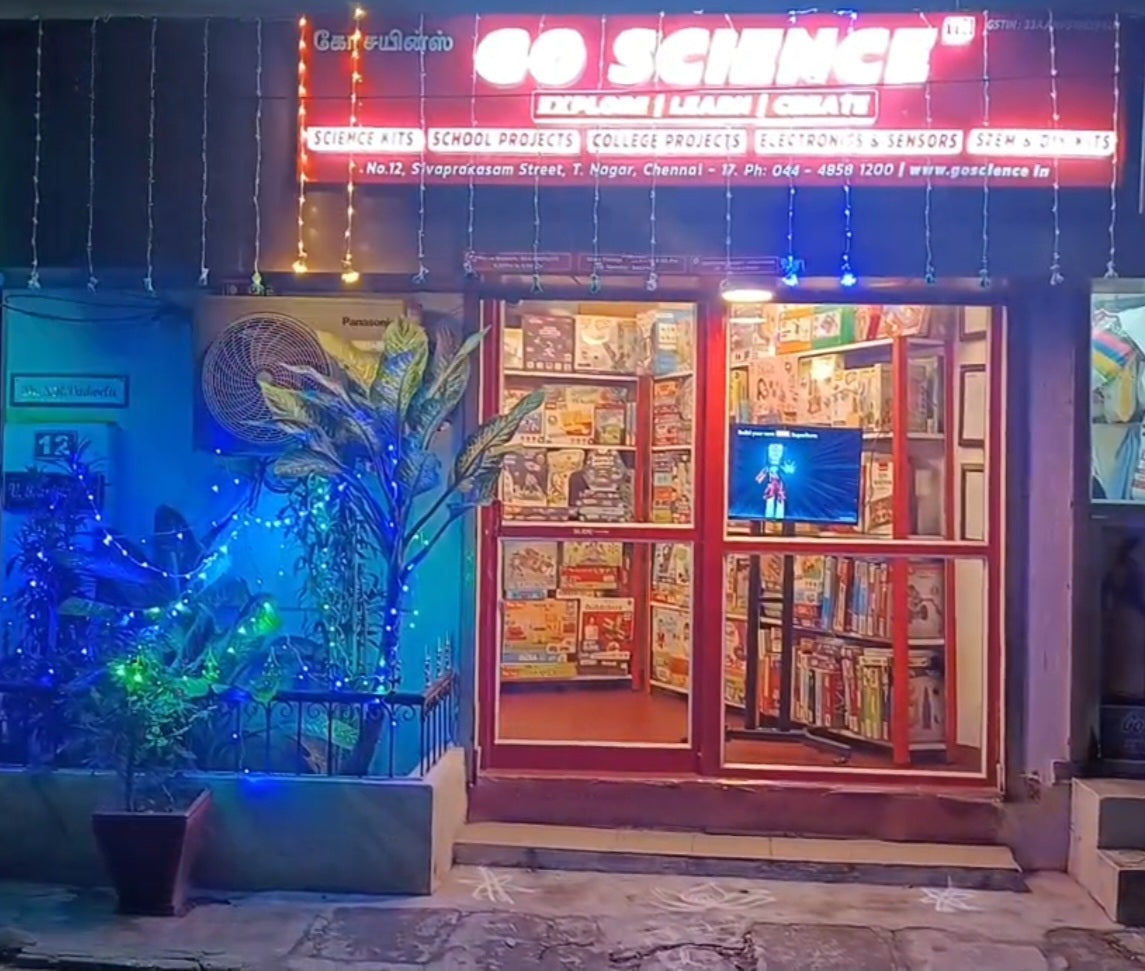
CHENNAI T.NAGAR STORE
No 12, Sivaprakasam Street,
T.Nagar, Chennai - 600017
Near Natesan Park & TTD Temple
Phone: 04448581200
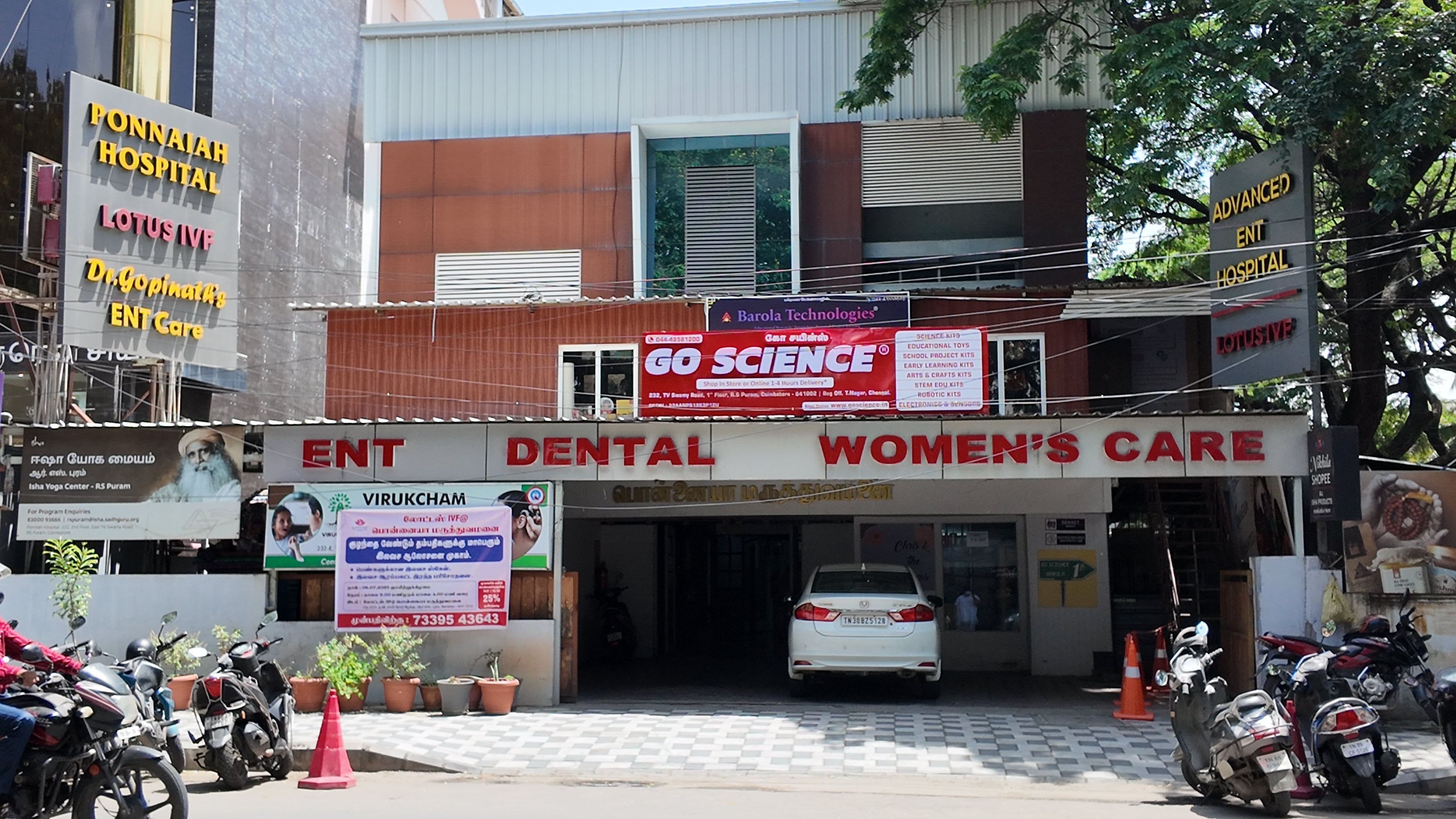
COIMBATORE RS PURAM STORE
232, T V Swamy Road,
1st Floor, R.S Puram, Coimbatore 641002
Phone: 04448581200

Bengaluru Store
No 154, Vinayaka Layout 1st Main,
Silver County Road, ,
Kudlu,
Bengaluru – 560102
(Opposite lane to DMart Haralur)
Phone: 04448581200